PortSentinel Documentation
The Lightweight, Self-Hosted Infrastructure Monitor
PortSentinel is a modern, high-performance monitoring solution designed for sysadmins who want speed, simplicity, and complete data ownership. Unlike heavy enterprise agents, PortSentinel runs on a fraction of the resources while providing a beautiful, real-time dashboard.
Why PortSentinel?
🚀 Blazing Fast
Written in Rust, the agent consumes negligible CPU and 10MB RAM.
📦 Zero Dependencies
Static binaries. No Python, No Node.js, No JVM required on your servers.
🎨 Modern UI
A dark-mode, responsive dashboard built with HTMX for real-time updates.
🔐 Self-Hosted
Your data never leaves your network. Now with SQLite storage.
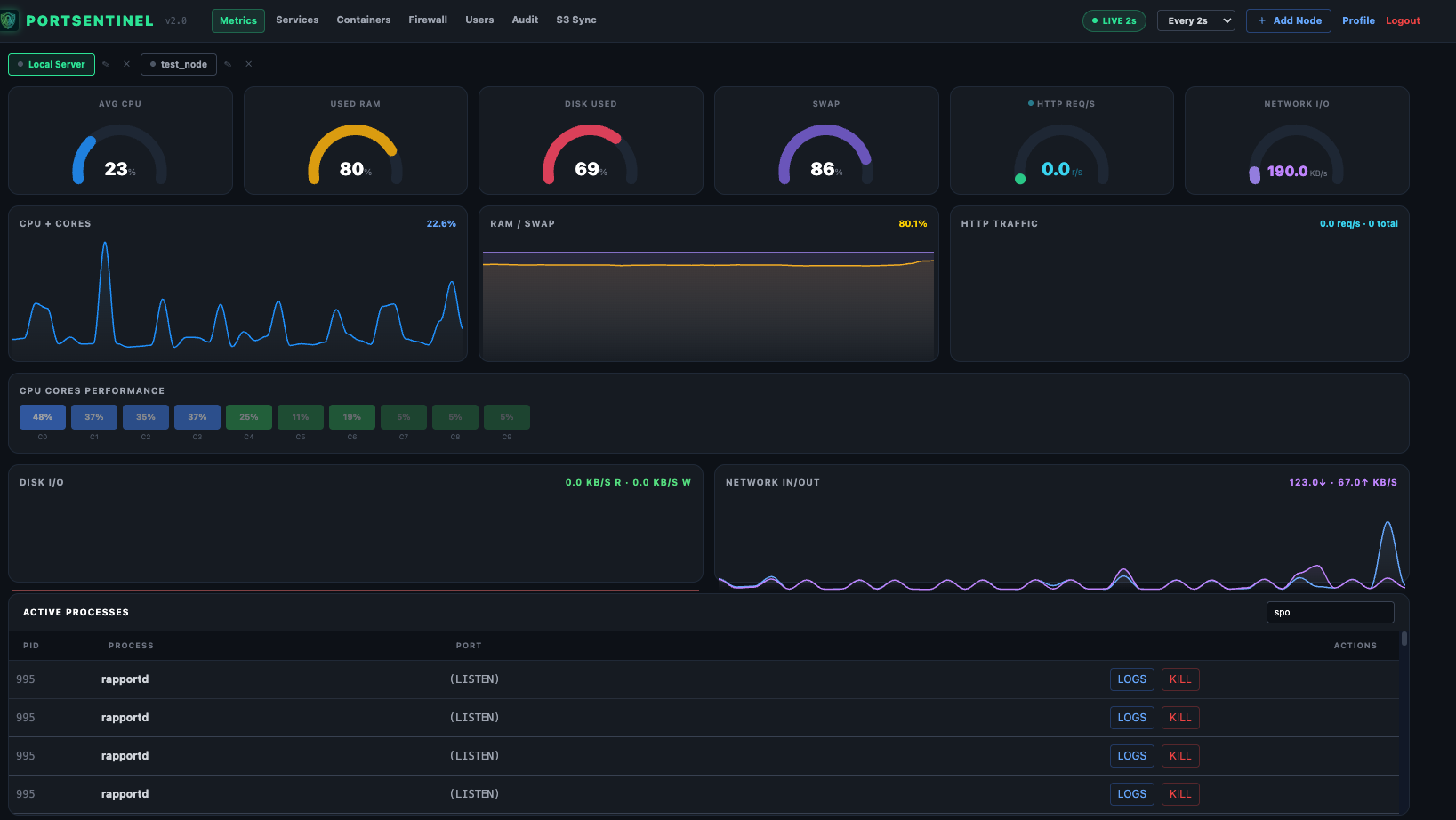
📸 Dashboard Preview
Real-Time Dashboard
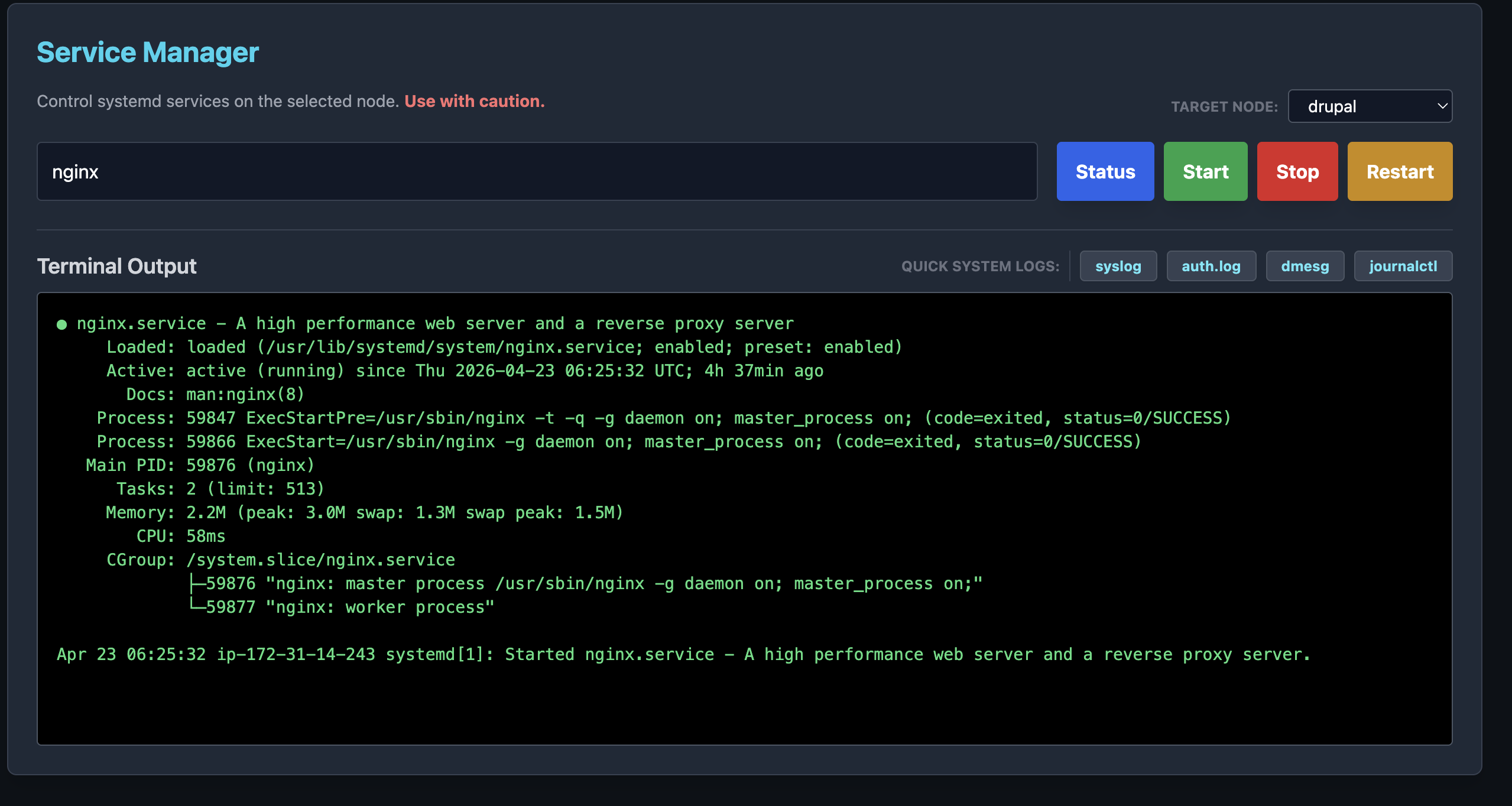
Service Manager
📥 Installation
Option 1: All-in-One Installer (Recommended)
Universal installer that can set up the Master Dashboard or just the Agent.
- Download the latest release bundle:
- Intel/AMD (x86_64):
port_sentinel_bundle_x86_64.tar.gz - ARM64 (Raspberry Pi/AWS Graviton):
port_sentinel_bundle_aarch64.tar.gz
- Intel/AMD (x86_64):
- Extract and Run:bash
# Extracttar -xzf port_sentinel_bundle_x86_64.tar.gz cd dist# Install Master Dashboard + Agent:sudo ./install.sh --master# Install Agent Only (Remote Nodes):sudo ./install.sh --agent
- Access: Open
http://<YOUR_IP>:7878
Option 2: Docker
docker-compose up -d
Updating PortSentinel
Your database (port_sentinel.db) and config files are preserved automatically.
sudo systemctl stop port-sentinel-mastersudo systemctl stop port-sentinel-agent tar -xzf port_sentinel_bundle_x86_64.tar.gz && cd distsudo ./install.sh --master
System Requirements (Master Node)
| Resource | Minimum | Recommended (50+ Nodes) |
|---|---|---|
| CPU | 1 vCPU | 2 vCPU |
| RAM | 512 MB | 2 GB |
| Disk | 100 MB | 10 GB SSD (for Logs) |
| OS | Any Linux (x86_64) | Ubuntu / Debian / Alpine |
🔋 Features
🖥️ System Monitoring
- • Real-time CPU, Memory, Swap, and Disk usage.
- • Historical tracking (Coming in Enterprise Edition).
🛠️ Service Manager
- • Control systemd services remotely.
- • Actions: Status, Start, Stop, Restart.
- • Security: Strict input validation for safe service names.
🐳 Docker Manager
- • List all containers on connected nodes.
- • View container logs in real-time.
- • Restart, Stop, or Start containers from the dashboard.
🕵️ Process Inspector
- • View top consumers (CPU/RAM).
- • Kill runaway processes.
- • Inspect open files and network connections (lsof).
Building & Bundling from Source
Prerequisites
# Install cargo-zigbuildcargo install cargo-zigbuild rustup target add x86_64-unknown-linux-musl rustup target add aarch64-unknown-linux-musl rustup target add x86_64-apple-darwin rustup target add aarch64-apple-darwin🐧 Bundling for Linux
chmod +x bundle.sh && ./bundle.sh
🍎 Bundling for macOS
# Apple Siliconcargo build --release --target aarch64-apple-darwin -p port_sentinel_master cargo build --release --target aarch64-apple-darwin -p port_sentinel_agentConfiguration
Uses config.json (if present) or Environment Variables.
| Variable | Description | Default |
|---|---|---|
PORT | Web Server Port | 7878 (Master), 3001 (Agent) |
DATABASE_URL | SQLite Connection String | sqlite:port_sentinel.db |
AUTH_TOKEN | Agent Shared Secret | None (Open) |
🤝 Contributing
We love contributions — bug fixes, new features, or just correcting a typo.
- Fork the repo on GitHub.
- Clone the project to your own machine.
- Commit changes to your own branch.
- Push your work back up to your fork.
- Submit a Pull Request so we can review your changes!